Built by a contributor with 20,000+ images on Adobe Stock
Where do I sell my AI art? Platforms, rules and how to prepare it
Yes, you can sell AI generated art, but not everywhere, and each platform has its own rules. This guide covers where AI art is accepted, what each platform asks for, and how to turn a prompt into a finished, keyworded file for a fraction of what separate tools cost.
- Title, keywords and CSV are free
- 4 High images + 4 upscales to try
- No card to start
Plans from €49 a month, excluding VAT. Magnific figures are upscale-only (the images are generated elsewhere) and were checked on Oct 4, 2026. Stock site policies were checked on Oct 2, 2026.
Last reviewed 2026-10-04
What one month buys
generated + upscaled 3x
upscales only, no generating
4.1 vs 1.3 per euro
3x more per euro
Magnific prices seen Oct 4, 2026. Magnific figures are upscale-only: the images still have to be generated somewhere else.
- 3
- common routes to sell AI art online: stock licensing, direct marketplaces such as Etsy and print-on-demand
- 3 of 7
- stock sites we checked clearly accept AI images today. Dreamstime did under 2023 terms (not confirmed for 2026)
- 4 MP
- is Adobe Stock's minimum resolution. 123RF asks for 6 MP and Freepik for 2000 px per side
- 3
- similar iterations at most per idea on Adobe Stock, so variety beats volume of near-copies
Can you sell AI generated art?
Yes, on platforms that allow it and as long as you follow their rules. There are three common ways to sell AI art online: licensing it through stock sites, selling it directly to buyers on a marketplace such as Etsy, and putting it on products through print-on-demand services.
Stock sites are the most clearly documented route for AI images: several publish exactly what they accept, how to label it and why files get rejected. That is where we focus, because it is what we know best: the owner of Stock Creatives has more than 20,000 images published on Adobe Stock.
Top platforms to sell AI art
Stock site policies checked against their official help pages on October 2, 2026. For Etsy and print-on-demand we haven't verified the current rules yet.
| Platform | Type | AI art allowed? | Main requirements |
|---|---|---|---|
| Adobe Stock | Stock site (licensing) | Yes | Tick “Created using generative AI tools”; max. 3 similar iterations; 4–100 MP JPEG sRGB; no artist, people or brand names |
| Freepik (Magnific Contributor) | Stock site (licensing) | Yes | AI button or “_ai_generated” tag; 2000–10000 px per side; photos at least 1.5 MB; 5–50 keywords in English |
| 123RF | Stock site (licensing) | Yes | “AI Generated Images” category only; min. 6 MP; no real names of people, places or brands |
| Dreamstime | Stock site (licensing) | Yes, with conditions (2023) | Mention AI in the description; no generated human faces; 3–70 MP. [[PENDIENTE: confirmar que la política de IA de Dreamstime de 2023 sigue vigente en 2026]] |
| Etsy | Marketplace (direct sales) | [[PENDIENTE: política de Etsy sobre arte hecho con IA, con fuente y fecha]] | [[PENDIENTE: requisitos de Etsy para vender arte de IA]] |
| Print-on-demand services | Products (prints, apparel…) | [[PENDIENTE: qué servicios de print-on-demand aceptan arte de IA, con fuente y fecha]] | [[PENDIENTE: requisitos de archivo de los principales servicios de print-on-demand]] |
| Shutterstock | Stock site | No, per the data we have (Oct 2, 2026) | Its policy page says contributors may not submit AI-generated content |
| Alamy | Stock site | No | Does not accept images generated by AI programs |
| iStock / Getty Images | Stock site | No | AI-free imagery policy |
Full stock site details, labels and limits in stock photo sites that accept AI images. Reviewed every quarter.
Stock sites: sell AI art as licenses
On a stock site you don't sell the image once: buyers license it, and the same file can be licensed many times. The site handles payment and the buyer relationship and pays you a share. Commissions per site: [[PENDIENTE: comisiones de Adobe Stock, Freepik/Magnific, 123RF y Dreamstime, con fuente y fecha]].
The trade-off is that stock sites review every file. You need technically clean images, correct AI labels and good titles and keywords, because buyers find your work by searching. If you are starting from zero, our microstock guide walks you through the whole process.
Etsy and print-on-demand
On a marketplace like Etsy you set your own price and sell directly to buyers, for example as digital downloads or physical prints. With print-on-demand, a service prints your design on products and ships them when someone buys. Both put you closer to the buyer, and both have their own policies on AI-generated work.
We haven't verified those policies yet, so we won't summarize them here: [[PENDIENTE: normas de Etsy y de los principales servicios de print-on-demand sobre arte de IA (etiquetado, prohibiciones, requisitos de archivo), con fuente y fecha]]. Read each platform's seller policy before listing AI art.
Is it legal to sell AI generated art? Licensing basics
Selling AI images is allowed on the platforms that accept them, under their rules. What those rules have in common:
Check your AI tool's license. Adobe asks contributors to review the terms of the generative AI tool they used and doesn't advise on third-party tools. Dreamstime requires that you hold the rights to what you upload.
No protected names or IP. Adobe forbids the names of artists, real people, fictional characters, copyrighted works, government agencies and third-party IP in prompts, titles and keywords. 123RF forbids names of real people, places and brands. Adobe warns that violations can lead to content removal or account termination.
People need releases. If an image depicts or is based on an identifiable person, Adobe requires a model release. Fictional people who look real need the “People and Property are fictional” box.
No fake news. Adobe rejects descriptions that suggest a real newsworthy event, and AI content can't be submitted as Illustrative Editorial.
Whether AI-generated images can be protected by copyright is a separate question: [[PENDIENTE: resumen revisado por un profesional sobre los derechos de autor de las imágenes generadas con IA en EE. UU. y la UE, con fuentes]].
How to prepare AI art so it gets accepted
- 1Review every image at 100% zoomFix hands and anatomy, remove garbled text, logos, signatures and watermarks, and look for odd shadows and render artifacts.
- 2Upscale to 3x, cleanlyAdobe needs at least 4 MP, 123RF 6 MP and Freepik 2000 px per side. Upscaling is fine on Adobe as long as it doesn't “degrade quality”: no halos, plastic skin or over-sharpening. We upscale to 3x to clear the minimums comfortably and maximize acceptance. See our AI image upscaler.
- 3Export the right fileFor Adobe Stock: JPEG with an sRGB profile, up to 45 MB, without borders or frames. PNG only as a separate content type with a transparent background.
- 4Write a title and keywordsAdobe: title under 70 characters, 5–50 keywords in one language, most important first (the first 10 carry the most weight). Freepik: 5–50 keywords in English. No protected names.
- 5Label it as AIAdobe's “Created using generative AI tools” checkbox, Freepik's AI tag, 123RF's AI category, Dreamstime's mention in the description.
- 6Send a varied batchOn Adobe Stock, keep at most three iterations of similar images, and upload with a CSV (filename, title, keywords) instead of typing metadata by hand.
Mistakes that get AI art rejected
- Uploading to a site that doesn't accept AI (Shutterstock, Alamy, iStock).
- Missing or wrong AI labels.
- Too many near-identical images, or several versions of one prompt.
- Anatomical errors, distorted or surreal results, unrealistic lighting.
- Embedded text, signatures, watermarks or logos.
- Artifacts, noise, halos or over-sharpening, often from a bad upscale.
- Files under the minimum size, or excessively compressed.
- Artist, celebrity, character or brand names in the title or keywords.
- On Freepik: flat, low-detail textures and files under 1.5 MB.
From prompt to a finished file, in one app
Most contributors stitch together a generator, an upscaler, a keyword tool and a spreadsheet. Stock Creatives puts the whole job in one place: €49 a month gets you 200 images generated in High quality and upscaled 3x, with the title, keywords and Adobe Stock CSV included.
Magnific is a good upscaler, but it only upscales: at €36 you get 46 upscales before generating a single image. Compare plans on the pricing page.
- Title, keywords and CSV don't use credits
- Upscale your own files too, for example from Midjourney
- Automatic check for hands, text and logos
Prompt
Remote worker at a sunny kitchen table, natural light
 3x
3x 3x
3x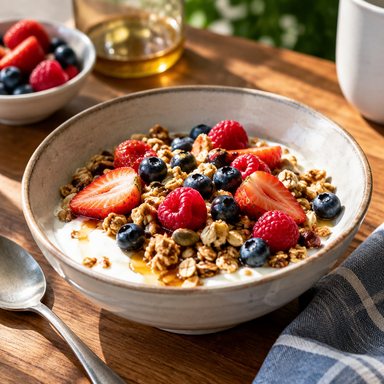 3x
3x 3x
3x Upscale
 Upscale
 3x
3x 3x
3x Upscale
How Stock Creatives helps you sell AI art on stock sites
Generate stock-ready images
Top-tier models in Low, Medium or High quality, coherent photo sessions and recurring characters.
Upscale to 3x
Our own upscaler for images made in the app or your own files (Midjourney and others). JPEG or PNG.
Title, keywords and CSV
Up to 49 keywords and a title of up to 70 characters, plus an Adobe Stock CSV ready to upload. Included at no extra cost.
Catch problems first
Automatic review of hands, text and logos, with zone retouching, generative fill and “fix hands” to correct them.
Want to see what metadata an image already carries? Try the free photo metadata viewer. Deciding between the two biggest stock sites? Read Adobe Stock vs Shutterstock. Plans are on the pricing page.
Frequently asked questions
Where do I sell my AI art?+
Stock sites that accept AI, such as Adobe Stock, Freepik (Magnific Contributor) and 123RF, are the best-documented option. Marketplaces like Etsy and print-on-demand services are other routes; check their current seller policies first.
Can you sell AI generated art?+
Yes, on platforms that allow it and under their rules: AI labels, no protected names, releases for identifiable people and clean technical quality.
Is it legal to sell AI generated art?+
It depends on your country, the AI tool's terms and the content of the image. We can't give legal advice; check the tool's license and the platform's rules, and ask a professional if in doubt.
Can I sell AI art on Shutterstock?+
No, according to the data we have: its policy page, checked on October 2, 2026, says contributors may not submit AI-generated content. Alamy and iStock don't accept it either.
What size should AI art be for stock sites?+
At least 4 MP for Adobe Stock, 6 MP for 123RF and 2000 px per side for Freepik. Upscaling helps, as long as it doesn't degrade quality.
How much can I earn selling AI art?+
It varies widely and isn't guaranteed. It depends on the platform's commission, your portfolio and your niche.
Can I try Stock Creatives before paying?+
Yes. Sign up and confirm your email to get 4 High images and 4 upscales to try. No card is needed.
Sources
- Adobe Stock: Generative AI content guidelines · 2026-10-02
- Adobe Stock: Generative AI FAQ · 2026-10-02
- Adobe Stock: Technical and legal requirements for photo submission · 2026-10-02
- Adobe Stock: Common reasons for content refusal · 2026-10-02
- Adobe Stock: Tips for effective titles and keywords · 2026-10-02
- Adobe Stock: CSV requirements · 2026-10-02
- Freepik / Magnific Contributor: AI generated resources, general guidelines · 2026-10-02
- Freepik / Magnific Contributor: Automatic rejections · 2026-10-02
- 123RF: Guidelines for AI generated content · 2026-10-02
- Dreamstime: Now accepting AI-generated content under specific terms (2023) · 2026-10-02
- Shutterstock: Content policy updates, AI-generated content · 2026-10-02
- Alamy: Contributor uploading · 2026-10-02
- iStock: AI-Free Imagery Policy · 2026-10-02
- Magnific plans: €36 for 45,000 credits (46 upscales) and €88 for 112 upscales · 2026-10-04 [[PENDIENTE: enlace o captura de la página de precios de Magnific]]
Get your AI art ready for stock sites
Generate, upscale to 3x and export with title, keywords and CSV. 4 High images and 4 upscales to try when you confirm your email. No card needed.
Try it free