Built by a contributor with 20,000+ images on Adobe Stock
The AI image upscaler built for stock sales
Upscale AI images 3x into clean sRGB JPEGs that clear Adobe Stock's 4 MP minimum with room to spare, whether you made them here or in Midjourney. €49 a month includes 200 upscales and 200 High-quality images to upscale. At Magnific, €36 buys 46 upscales and no images.
- Faithful mode keeps hands, faces and text in shape
- Quality check on every result
- Title, keywords and CSV are free
- No card to start
Plans from €49 a month, excluding VAT. Magnific figures are upscale-only (the images must be generated elsewhere) and were checked on Oct 4, 2026: see the sources at the bottom of the page.

- 9x
- the pixels on every 3x upscale: a 1024 × 1024 image becomes 3072 × 3072 (9.4 MP)
- 4 MP
- is Adobe Stock's official minimum: 3x clears it even after a crop
- 200
- upscales a month included in the €49 plan, for images made here or your own files
- Free
- title, up to 49 keywords and the Adobe Stock CSV: they don't use credits
An upscaler that finishes the job
Stock Creatives rebuilds your image at three times its width and height, which means nine times the pixels. In the default Faithful mode it adds real detail (skin texture, hair, fabric) instead of just stretching the pixels you already have. It runs on our own upscaling engine on cloud GPUs, so there's nothing to install and the graphics card in your computer doesn't matter.
It's built for one job: getting AI images ready for stock sites, mainly Adobe Stock. That's why it exports sRGB JPEGs by default, checks every result for the things reviewers reject (too few megapixels, sharpening halos, artificial noise) and keeps your title and keywords inside the file.
Use it on images you generate in Stock Creatives or on your own work: Midjourney images, output from other generators, or older AI images that are too small to submit.
Before and after
Same crop at 100% zoom: the original on the left, the 3x Faithful result on the right. [[PENDIENTE: imágenes reales de antes y después (original y 3x)]]
Three upscaling modes
Faithful (default)
Adds real detail without reinventing what's in the picture: hands, faces and text keep their shape. This is the mode we recommend for stock.
Creative
Invents fine micro-detail in skin, fabric and foliage, like creative upscalers do. Useful for very soft images, but it can alter hands, faces, text and logos, so check them before you submit.
Fast
Clean and sharp in seconds. Good for previews and urgent batches, though fine textures such as skin or foliage can end up looking painted.
Why we upscale 3x for stock sites
Adobe Stock's official minimum is 4 megapixels (maximum 100 MP). Most AI images come out at around 1 MP, so they need upscaling. We upscale 3x to maximize acceptance: enough headroom to stay well above the minimum, even after a crop, without inflating the file for no reason.
| Original | 2x | 3x |
|---|---|---|
| 1024 × 1024 (1.0 MP) | 2048 × 2048 (4.2 MP) | 3072 × 3072 (9.4 MP) |
| 1344 × 768 (1.0 MP) | 2688 × 1536 (4.1 MP) | 4032 × 2304 (9.3 MP) |
| 1536 × 1024 (1.6 MP) | 3072 × 2048 (6.3 MP) | 4608 × 3072 (14.2 MP) |
At 2x, a 1 MP image lands just above 4 MP, so any crop pushes it under the minimum. A wide 1344 × 768 image at 3x is also larger than 4K UHD (3840 × 2160), so the same step covers upscale image to 4K.
The 3x factor comes from experience: the account behind Stock Creatives has more than 20,000 images published on Adobe Stock. Still, no upscaler can guarantee acceptance. Reviewers also look at anatomy, artifacts, embedded text or logos and how many similar images you send.
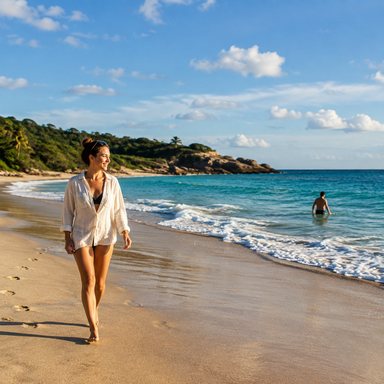
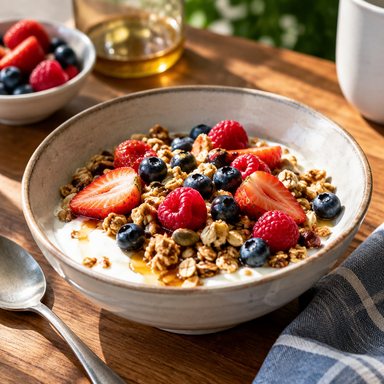







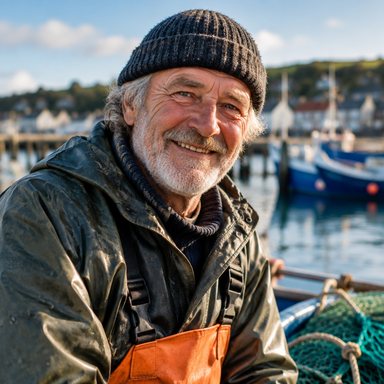

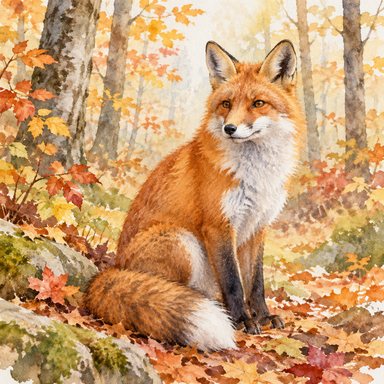






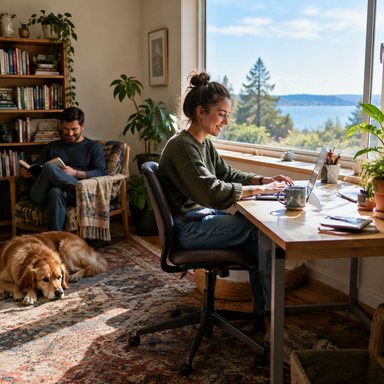
Sample styles inside the app
The upscale arrives with its title and keywords
Most upscalers hand you a bigger file and stop there. Stock Creatives also writes a title of up to 70 characters and up to 49 keywords for each image and embeds them in the final JPEG, so there's no second tool and no typing metadata image by image.
Every result also gets a verdict, OK or Review, with the reasons, so you see a problem before a stock reviewer does.
- Edit anything before you export
- One Adobe Stock CSV for the whole batch
- Fine-tune sharpening, noise or detail without upscaling again
Title58/70
Remote worker typing on a laptop at a bright kitchen table
Example
Keywords49/49
Formats: JPEG, PNG and color
- Input: JPEG, PNG, TIFF, WebP or BMP.
- Output: JPEG by default (quality 95, full color resolution, sRGB profile embedded) or PNG.
- Color: images in Adobe RGB, Display P3 or other profiles are converted to sRGB, which is what Adobe Stock asks for.
- Transparency: the alpha channel is upscaled separately, so a transparent PNG stays transparent. Adobe Stock only takes PNG as its own content type with a transparent background; for everything else, submit JPEG.
- Metadata: EXIF, IPTC and XMP are kept. Title and keywords are embedded in the final JPEG, and Adobe Stock reads embedded keywords on upload.
- Quality check: every result is checked for 4–100 MP and 45 MB, fidelity to the original, sharpening halos, artificial noise in flat areas and lost metadata, then marked OK or Review with the reasons.
Upscale Midjourney images (or any of your own)
- 1Create your accountSign up and confirm your email to start your free trial.
- 2Upload your imagesOne image or a whole batch: Midjourney, other generators or your own files.
- 3Choose the modeLeave it on Faithful for stock. Try Creative only on images that are very soft.
- 4Review at 100%Read the quality-check verdict and look at hands, faces and edges at full size. If needed, fine-tune sharpening, noise or detail strength without upscaling again.
- 5Download with metadataGet a title (up to 70 characters), up to 49 keywords and an Adobe Stock CSV for free, then download the images and the CSV ready to upload.
What an upscale really costs
Magnific is a strong upscaler: €36 buys 46 upscales and €88 buys 112. Those are upscale-only figures, because the images still have to be generated somewhere else. Stock Creatives puts both jobs in one plan: €49 a month gives you 200 High-quality images, each upscaled 3x. If what you sell is finished images, that's the comparison that counts.
Magnific does more than this comparison covers. We only compare the job a stock contributor repeats every month: an image that's generated, upscaled and ready to submit.
What one month buys
generated + upscaled 3x
upscales only, no generating
generated + upscaled 3x
upscales only, no generating
4.1 vs 1.3 per euro
3x more per euro
Magnific prices seen Oct 4, 2026. Magnific figures are upscale-only: the images still have to be generated somewhere else.
What it costs
Upscaling is included in every plan. Each 3x upscale uses 1 upscale from your plan's allowance, whether the image was generated in Stock Creatives or uploaded by you. Credits are only spent on generating images. Plans and the number of upscales each one includes are on the pricing page.
Titles, keywords and the CSV are free. Vectors (real SVG files) don't need upscaling, so they never use your allowance.
Compare before you choose
We compare Stock Creatives with free and paid upscalers in the best AI image upscalers of 2026 and go tool by tool in alternatives to Nero, Magnific, Topaz and Photoshop. For settings and mistakes to avoid, read advanced AI upscaling techniques. New to selling images? Start with the microstock guide.
Frequently asked questions
Is this AI image upscaler free?+
Not entirely. You get a free trial when you confirm your email; after that, upscales come with the monthly plans (see pricing). If you only need the occasional upscale and have a capable graphics card, a free open-source desktop app may suit you better: see our comparison.
Can I upscale Midjourney images?+
Yes. Upload them like any other file. Before selling them, check that the terms of the tool you used allow it: Adobe Stock asks contributors to review the license of their AI tool.
Why 3x and not 4x?+
3x takes a typical 1–1.6 MP AI image to roughly 9–14 MP, well above Adobe's 4 MP minimum even after a crop. Adobe asks you not to increase resolution in ways that degrade quality, so bigger isn't automatically better. More in the advanced upscaling guide.
Will upscaling get my images accepted on Adobe Stock?+
It removes one common reason for refusal (images that are too small, soft or pixelated), but nobody can guarantee acceptance. Reviewers also refuse anatomical errors, render artifacts, embedded text or logos and too many similar images.
Does the upscaler change my image?+
Faithful mode keeps the content as it is and adds detail. Creative mode can change small things such as hands, eyes, text or logos, which is why it isn't the default.
Sources
- Adobe Stock: technical requirements for photos (4–100 MP) · 2026-10-02
- Magnific plans: €36 for 46 upscales and €88 for 112 upscales (upscale-only) · 2026-10-04 [[PENDIENTE: enlace o captura de la página de precios de Magnific]]
Upscale your first images for free
4 High images and 4 upscales to try when you confirm your email. No card needed. Upload your own files or generate new ones.
Try it free