Seven tools, one by one, with dated prices
Alternatives to Nero AI Image Upscaler, Magnific, Topaz and Photoshop
Seven popular upscalers, one by one: what each does, what it costs and when it's the better choice. If you sell AI images on stock sites, compare the finished image: €49 a month gets you 200 High images already upscaled 3x, while Magnific's €36 buys 46 upscales and no images.
- Title, keywords and CSV are free
- Faithful 3x, sRGB JPEG, quality check
- 4 High images + 4 upscales to try
- No card to start
Magnific figures are upscale-only (the images must be generated elsewhere) and were checked on Oct 4, 2026. Other prices were seen on Oct 3, 2026: see the sources at the bottom of the page.
Last reviewed 2026-10-04

Title58/70
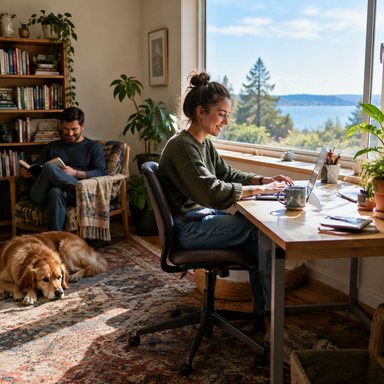
Remote worker typing on a laptop at a bright kitchen table
Example
Keywords49/49
- 7
- upscalers covered one by one: what each does, what it costs, who it suits
- 200
- stock-ready images a month in the €49 plan, each generated in High and upscaled 3x
- 9x
- the pixels on every 3x upscale, well above Adobe Stock's 4 MP minimum
- Free
- title, up to 49 keywords and the Adobe Stock CSV with every image
What we do differently for stock sellers
Every tool below upscales images. Stock Creatives is built around what comes after the upscale when the image is going to a stock site:
All in one
Generate images, upscale them and prepare them for upload in one place, instead of paying for a generator, an upscaler and a keywording tool separately.
Title, keywords and CSV for free
Every image gets a title (up to 70 characters), up to 49 keywords and an Adobe Stock CSV ready to upload, at no extra cost.
3x, designed with Adobe in mind
A 1 MP AI image becomes roughly 9 MP: well above Adobe's 4 MP minimum, exported as an sRGB JPEG.
Quality check before you submit
Each result is checked for megapixels, file size, sharpening halos, artificial noise and lost metadata.
Your own images too
Upload Midjourney images or any other file and upscale them the same way.
Faithful by default
The default mode adds detail without reinventing hands, faces or text. A creative mode is there when you want it.
The cost of a finished image
Upscalers are priced per upscale, and the image still has to come from somewhere. Magnific's plans give 46 upscales for €36 and 112 for €88: upscale-only figures, with the images generated elsewhere. Stock Creatives puts both jobs in one plan: €49 a month gives you 200 images generated in High quality and upscaled 3x.
Magnific is a strong creative upscaler and is the better choice for artistic reinvention (see below). We only compare the job a stock contributor repeats every month.
What one month buys
generated + upscaled 3x
upscales only, no generating
generated + upscaled 3x
upscales only, no generating
4.1 vs 1.3 per euro
3x more per euro
Magnific prices seen Oct 4, 2026. Magnific figures are upscale-only: the images still have to be generated somewhere else.


















Sample styles inside the app
Nero AI Image Upscaler alternative
- What it is: an online AI upscaler from Nero, the company behind the Nero software suite. You upload an image in the browser and download an enlarged version.
- Price: [[PENDIENTE: precio con fecha de Nero AI Image Upscaler]]
- Better choice if: you want a general-purpose online upscaler for the occasional photo and don't need stock metadata.
- Choose Stock Creatives if: you upscale AI images to sell them and want the title, keywords and CSV done in the same step.
Magnific AI image upscaler alternative
- What it is: a creative upscaler, now part of the Freepik group. It invents new detail guided by a prompt and by sliders such as creativity and resemblance.
- Price: ~$13–60/month; large plans $210–380 (seen October 3, 2026; source).
- Better choice if: you want strong, artistic reinvention for concept art, posters or portfolio pieces.
- Choose Stock Creatives if: you're preparing stock images, where invented details on hands, eyes or text are a refusal reason. Our default mode is faithful, and the creative mode is optional.
Topaz AI image upscaler (Gigapixel) alternative
- What it is: Topaz Gigapixel, a desktop app that upscales on your own computer, with batch processing.
- Price: ~$199 for the first year in the Photo AI bundle (seen October 3, 2026; source).
- Better choice if: you're a photographer with a powerful computer, you upscale camera photos in bulk and prefer desktop software.
- Choose Stock Creatives if: you'd rather not depend on your own graphics card and want your AI images to come out with stock metadata ready.
Photoshop AI upscale alternative
- What it is: Adobe's apps include upscaling, such as Super Resolution (in Camera Raw and in Lightroom's Enhance tool), which doubles width and height, and Preserve Details 2.0 in Photoshop's Image Size dialog. Adobe's own 2023 guide for AI images suggests Lightroom's Enhance tool to reach the 4 MP minimum, without going beyond 6–8 MP. [[PENDIENTE: verificar las funciones de ampliación actuales de Photoshop y Lightroom]]
- Price: [[PENDIENTE: precio con fecha de Photoshop / Lightroom]]
- Better choice if: you already pay for Photoshop or Lightroom and edit every image by hand anyway.
- Choose Stock Creatives if: you want to upscale a batch of AI images in one go, with titles, keywords and the CSV generated for you.
Upscayl alternative
- What it is: a free, open-source desktop app for Windows, macOS and Linux that runs upscaling models on your graphics card.
- Price: the desktop app is free and open source. [[PENDIENTE: precio con fecha de las opciones de pago de Upscayl, si las hay]]
- Better choice if: you want free, offline upscaling, you have a decent graphics card and you'll do titles and keywords elsewhere.
- Choose Stock Creatives if: you don't have a strong graphics card, or your time is better spent on the images than on metadata.
Bigjpg alternative
- What it is: a web upscaler known for enlarging illustrations and anime-style artwork.
- Price: [[PENDIENTE: precio con fecha de Bigjpg]]
- Better choice if: you mainly enlarge drawings or anime-style art for personal use.
- Choose Stock Creatives if: you sell AI images on Adobe Stock and need sRGB JPEGs, a quality check and stock metadata. If your illustrations are flat vector style, Stock Creatives can also generate real SVG vectors, which don't need upscaling.
Upscale.media alternative
- What it is: a web upscaler: drag an image into the browser and download a larger version.
- Price: [[PENDIENTE: precio con fecha de Upscale.media]]
- Better choice if: you need a quick, one-off upscale with no account setup.
- Choose Stock Creatives if: you upscale regularly for stock and want the image, title, keywords and CSV ready together.
Quick summary
| If you use… | It's better when… | We're the better fit when… |
|---|---|---|
| Nero AI Image Upscaler | You upscale the occasional photo online | You sell AI images and need stock metadata |
| Magnific | You want artistic reinvention | Hands, eyes and text must stay intact |
| Topaz Gigapixel | You batch camera photos on a powerful computer | You'd rather not depend on your own graphics card |
| Photoshop / Lightroom | You already edit every image by hand | You want batches with titles, keywords and CSV |
| Upscayl | You want free and offline | You want upscaling plus stock metadata in one place |
| Bigjpg | You enlarge anime-style art | You need sRGB JPEGs for Adobe Stock |
| Upscale.media | You need a quick one-off upscale | You upscale regularly for stock |
What it costs with us
Each 3x upscale uses 1 from your plan's upscale allowance, for images generated in the app and for images you upload. Titles, keywords and the CSV are free. Plans are on the pricing page, and there's a free trial when you confirm your email.
For a wider view, including Let's Enhance, Krea, Clarity and Pixelbin, see the best AI image upscalers of 2026. To see the upscaler itself, go to the AI image upscaler page. Before you submit, check which stock sites accept AI images and read the microstock guide.
Frequently asked questions
What's a good alternative to Nero AI Image Upscaler for stock images?+
If the images are going to Adobe Stock, look for a faithful upscale, sRGB JPEG output and enough megapixels (at least 4 MP). Stock Creatives upscales 3x and adds the title, keywords and CSV.
Is there a Magnific alternative that doesn't change my image?+
Yes. A faithful upscaler adds detail without reinventing content. In Stock Creatives, Faithful is the default mode; the creative mode, closer to Magnific, is optional.
Is there a free Topaz alternative?+
Free open-source desktop apps such as Upscayl run on your own computer if you have a capable graphics card. Stock Creatives isn't free beyond the trial, but it runs in the cloud and adds stock metadata.
Can I upscale AI images in Photoshop for Adobe Stock?+
Yes. Adobe's 2023 guide for AI images suggested Lightroom's Enhance tool, without going beyond 6–8 MP. Today's technical pages allow up to 100 MP and ask you not to increase resolution in ways that degrade quality. More in our advanced upscaling guide.
Why aren't all competitor prices listed?+
We only publish prices we've seen on a specific date with a source. Where we don't have that yet, the price is marked as pending.
Sources
- Magnific plans: €36 for 46 upscales and €88 for 112 upscales (upscale-only) · 2026-10-04 [[PENDIENTE: enlace o captura de la página de precios de Magnific]]
- Oakgen: Magnific AI pricing after the Freepik rebrand · 2026-10-03
- Let's Enhance: free and paid AI upscalers (Topaz Gigapixel price) · 2026-10-03
- Adobe Stock: 10 tips for getting your generative AI images approved (PDF, 2023) · 2026-10-02
- Adobe Stock: generative AI FAQ · 2026-10-02
- Adobe Stock: technical requirements for photos · 2026-10-02
Try the all-in-one option for stock
4 High images and 4 upscales to try when you confirm your email. No card needed. Upscale your AI images 3x and get the title, keywords and Adobe Stock CSV in the same place.
Try it free