Guidelines dated Dec 21, 2023 · read Oct 4, 2026
Sell AI images on 123RF: the AI category, the 6 MP minimum and the rules
Yes. 123RF accepts AI-generated content if you upload it to the “AI Generated Images” category only, at 6 megapixels or more (about 2000 × 3000 px). It explicitly allows upscaling, “if necessary”, as long as there is no artifacting, noise or pixelization, and bans real names of people, places and brands in tags.
Reach 6 MP without artifacts, keyword cleanly and keep the upload to the right category
- 1Create the image
- 2Own upscaler, up to 4x
- 3Title + keywords
- 4Upload to Adobe
- Upscale to 2x, 3x or up to 4x
- Title and keywords are free
- 2 images + 2 upscales to try
- No card to start
Plans from €49 a month, excluding VAT. Stock Creatives is our own product: it uploads to Adobe Stock, and you upload to 123RF yourself.
Last reviewed 2026-10-04
Prompt
Remote worker at a sunny kitchen table, natural light
 3x
3x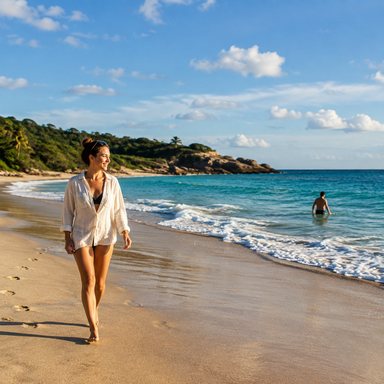 3x
3x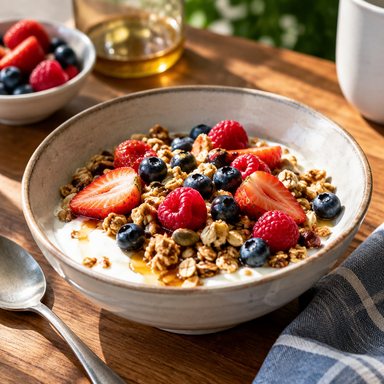 3x
3x 3x
3x Upscale
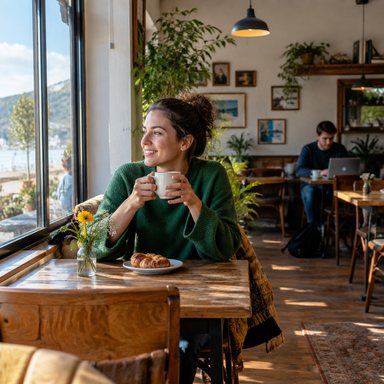 Upscale
 3x
3x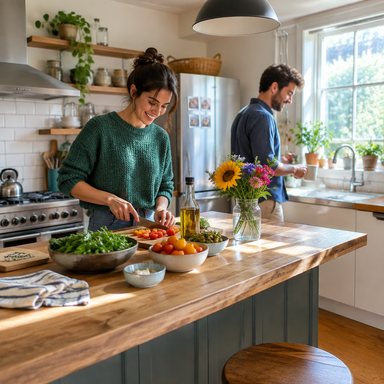 3x
3x Upscale
- 6 MP
- minimum size at 123RF, about 2000 × 3000 px (Adobe Stock asks for 4 MP)
- 1
- category for AI content: “AI Generated Images”, and no other
- Dec 21, 2023
- date of the 123RF guidelines for AI-generated content, still the page we found on Oct 4, 2026
- 0
- real names of people, places or brands allowed in your tags
Does 123RF accept AI-generated images?
123RF accepts AI-generated content from contributors under its “Guidelines for AI Generated Content”. The key instruction is to upload it to the “AI Generated Images” category only. It is one of the three sites we found that accept AI with a clear label, next to Adobe Stock and Freepik/Magnific.
123RF asks you to submit commercially viable, creative content that meets its clients' standards, and to make sure you hold all the necessary rights: your generation tool must grant you the rights to license the content to another party, and the content must not infringe any third party's rights.
What are 123RF's requirements for AI images?
| Requirement | What 123RF says | Source |
|---|---|---|
| Category | Upload to the “AI Generated Images” category only | Guidelines (Dec 21, 2023) |
| Minimum size | At least 6 megapixels, about 2000 × 3000 px | Guidelines (Dec 21, 2023) |
| Upscaling | “Use image enhancement or upscale tool if necessary (repair/improve damaged faces, blurred or pixelization)” | Guidelines (Dec 21, 2023) |
| Quality | “No artifacting / No noise / No pixelization or blurred images / No loss of detail and definition from overprocessing” | Guidelines (Dec 21, 2023) |
| Anatomy | Characters must be anatomically correct and in proportion; no missing or extra fingers or toes, odd expressions or items that do not belong in the composition | Guidelines (Dec 21, 2023) |
| Tags | Do not tag with real place names, people's names or brand and trademark names | Guidelines (Dec 21, 2023) |
| Releases | Attach valid model or property releases if the content depicts any identifiable person, brand, trademark, place or property | Guidelines (Dec 21, 2023) |
| Similar images | No similar images with slight changes of angle, colour or brightness, pose or expression (treated as spamming) | Guidelines (Dec 21, 2023) |
| Also banned | Watermarks, nudity, nonsensical text and inappropriate imagery | Guidelines (Dec 21, 2023) |
Official 123RF guidelines for AI-generated content. The page does not give a file format in its requirements; check the upload page for current format rules.
Can I upscale AI images for 123RF?
Yes. This is the clearest upscaling permission among the stock sites we checked. 123RF's guidelines say to “use image enhancement or upscale tool if necessary”, with examples such as repairing damaged faces, blur or pixelization. The condition is the result: no artifacting, noise, pixelization or blurred images, and no loss of detail from overprocessing.
In practice, upscale to clear 6 MP, then inspect at 100% zoom. A 1500 × 1000 px image (1.5 MP) at 2x becomes 3000 × 2000 px, exactly 6 MP, with no margin. At 3x it becomes 4500 × 3000 px (13.5 MP). A 1024 × 1024 px image (about 1 MP) gives 4.2 MP at 2x and 9.4 MP at 3x. Our AI image upscaler page explains the modes, and Adobe Stock minimum resolution covers the 4 MP side.
How do I start selling AI images on 123RF?
- 1Register as a contributorCreate a 123RF account with the contributor sign-up option, and agree to the contributor agreement. Its getting-started page lists being over 18, government-issued ID and about 10 sample files for the initial review (page dated December 7, 2022, so confirm the current steps).
- 2Check your rightsRead the licence of the AI tool you use. 123RF requires that it lets you license the content to others.
- 3Clean every image at 100%Look for extra or missing fingers, odd expressions, stray objects, nonsense text and watermarks. Fix or discard.
- 4Reach 6 MP, without artifactsUpscale if needed, then confirm megapixels with our image resolution checker.
- 5Keyword without real namesNo people, places or brands. Draft keywords with the stock keyword generator, then remove anything that names a real person, place or brand.
- 6Upload to the AI category, then submitChoose “AI Generated Images” for every file and avoid near-duplicates. 123RF's reviewers decide what is accepted.
What should I avoid on 123RF?
- Uploading AI files to other categories. AI belongs in “AI Generated Images” only.
- Real names and brands in tags, including places and trademarks.
- Batches of near-identical images. Slight changes of angle, colour, pose or expression count as spamming.
- Anatomy errors, especially hands and feet, and items that do not belong in the scene.
- Over-processing. 123RF lists artifacting, noise and loss of detail from overprocessing as problems, even when the file is large enough.
- Identifiable people, brands or places without a release.
How to prepare your 123RF files with Stock Creatives
Stock Creatives is our own app for contributors who sell AI images. It generates the image, upscales it with our own upscaler at 2x, 3x or up to 4x, and writes a title of up to 70 characters and up to 49 keywords, free of credits. An automatic check flags hands, text and logos, which are common reasons for a rejection.
It is built for Adobe Stock: one-click upload and the CSV are for Adobe, so for 123RF you download the finished JPEGs and upload them yourself. See the plans on the pricing page.
- 3x leaves comfortable room above 6 MP
- Faithful mode keeps hands, faces and text in shape
- Download finished files to upload anywhere
1.5 MP · under Adobe's 4 MP minimum
13.5 MP · 9x the pixels, well above 4 MP
Or at 4x: 6000 × 4000 px · 24 MP
Our own upscaler, up to 4x, built in-house for stock
Stock Creatives has its own upscaling technology, built for stock images: it adds real detail instead of just stretching pixels, and its Faithful mode keeps hands, faces and text in shape.
Choose 2x, 3x or up to 4x. For example, a 1500 × 1000 px photo (1.5 MP, under Adobe's 4 MP minimum) comes out at 4500 × 3000 px (13.5 MP) at 3x, or 6000 × 4000 px (24 MP) at 4x. Upscaling uses credits by scale (a 4x costs twice as much as a 2x), for the images you make in the app and for your own files.
- Our own technology, not a third-party upscaler
- Faithful mode: real detail, with hands and faces intact
- 2x, 3x or 4x: you choose, one upscale each
1.5 MP · under Adobe's 4 MP minimum
13.5 MP · 9x the pixels, well above 4 MP
Or at 4x: 6000 × 4000 px · 24 MP
Frequently asked questions
Does 123RF accept AI-generated images?+
Yes, in one category only: “AI Generated Images”. Its guidelines (updated December 21, 2023) also require that you hold the rights, with no real names of people, places or brands in tags.
What is the minimum resolution at 123RF?+
6 megapixels, about 2000 × 3000 px. That is higher than Adobe Stock's 4 MP minimum and Freepik's 2000 px per side.
Can I upscale AI images for 123RF?+
Yes. The guidelines say to use an image enhancement or upscale tool if necessary, as long as there is no artifacting, noise, pixelization, blur or loss of detail from overprocessing.
How do I label AI images on 123RF?+
By uploading them to the “AI Generated Images” category. That category is the label.
Can I use real names or brands in my 123RF keywords?+
No. The guidelines say not to tag AI content with real place names, people's names or brand and trademark names.
Do I need a model release for AI images on 123RF?+
If the content depicts an identifiable person, brand, trademark, place or property, 123RF asks you to attach valid model or property releases.
Is 123RF's AI policy still current?+
It is the latest we found: the page shows “Updated: Dec 21, 2023” and we read it on October 4, 2026. We review it every quarter.
Can I try Stock Creatives before paying?+
Yes. Sign up and confirm your email to get 2 images and 2 upscales to try. No card is needed.
More sites for AI images
See stock sites that accept AI images for all of them side by side. Shutterstock does not accept AI: read selling AI images on Shutterstock. Dreamstime has conditions: see selling AI images on Dreamstime. If you are new, start with best microstock sites.
Sources
Keep reading
Stock photo sites that accept AI generated images: the 2026 list
Stock photo sites that accept AI generated images in 2026: Adobe Stock, Freepik, 123RF, Dreamstime, Shutterstock and more, with labels, limits and sources.
Sell AI images on Freepik: Magnific Contributor requirements and first steps
Yes, you can sell AI images on Freepik, now Magnific Contributor. Tag them as AI, keep every side between 2000 and 10000 px and avoid automatic rejections.
Sell AI images on Dreamstime: the conditions it sets and how to meet them
Dreamstime accepts AI images with conditions: hold the rights, say it is AI in the description, use the AI category and mind the faces rule. 3 to 70 MP.
Sell AI images on Shutterstock: the answer is no, and what to do instead
Can you sell AI images on Shutterstock? No: its policy bans AI content from contributors. See the quote, the rules for real photos and where to sell AI.
Best microstock sites to sell your photos, vectors and AI images
Best microstock sites for contributors, compared: AI policy, minimum size and formats for Adobe Stock, Shutterstock, Freepik, 123RF, Dreamstime and more.
How to upscale an image for Adobe Stock so it passes review
Upscale an image for Adobe Stock step by step: the 4 MP minimum, a safe 6–16 MP target, what causes refusals and a worked 3x example (13.5 MP).
Get your AI images above 6 MP
Generate, upscale and write your title and keywords in one place. 2 images and 2 upscales to try when you confirm your email. No card needed. Acceptance is up to each site's reviewers.
Try it free